Restricted functionality
This functionality can only be accessed when having one of the following
roles:
- OWNER
- SECURITY_MANAGER
- CLUSTER_ADMIN
Restricted functionality
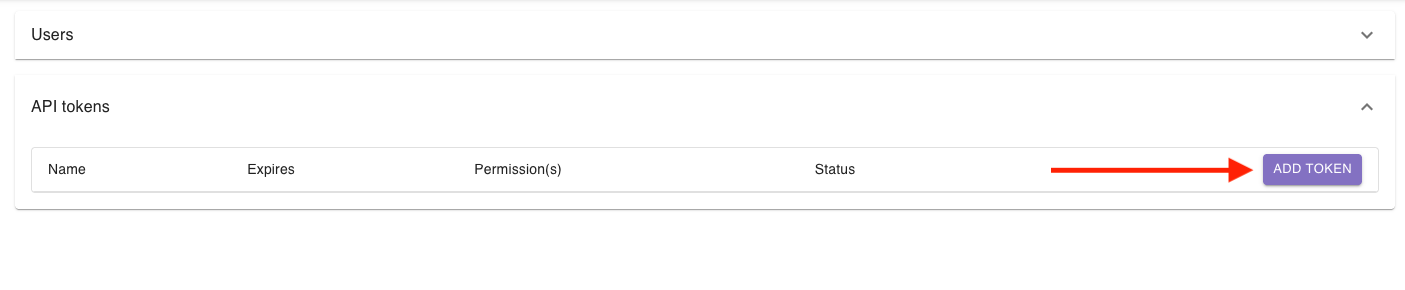
You can generate new API tokens by using the session manager. Simply open the “API tokens” section and click on add token:
A dialog will show up where you can enter a token name, the expiration date and the permissions of the token.
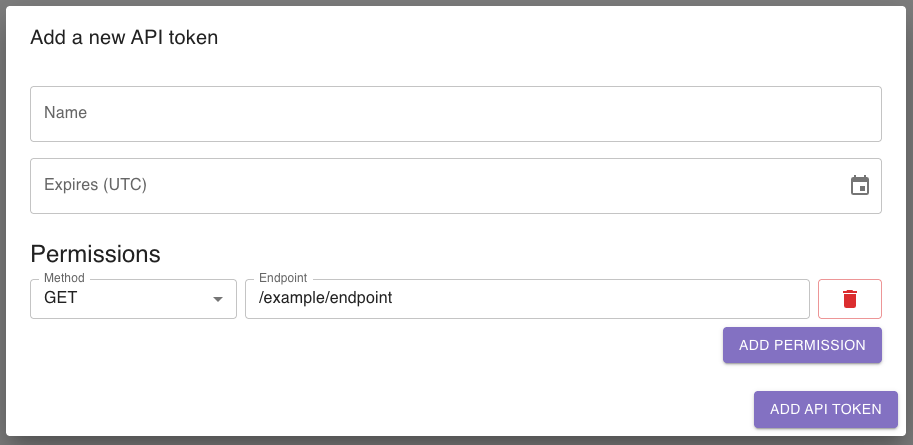
When adding a new permission, be sure to use the format /my/example/endpoint and to not add any prefix for PERSEUS core that you set up, i.e., via a reverse proxy.
You can view a list of all endpoints and their documentation available in your installation at <PERSEUS_CORE_ADDRESS>/docs.
You can add an asterisk (*) as a wildcard to allow multiple endpoints, i.e., /my/example/* allows /my/example/endpoint and /my/example/another-endpoint, but not /my/example.
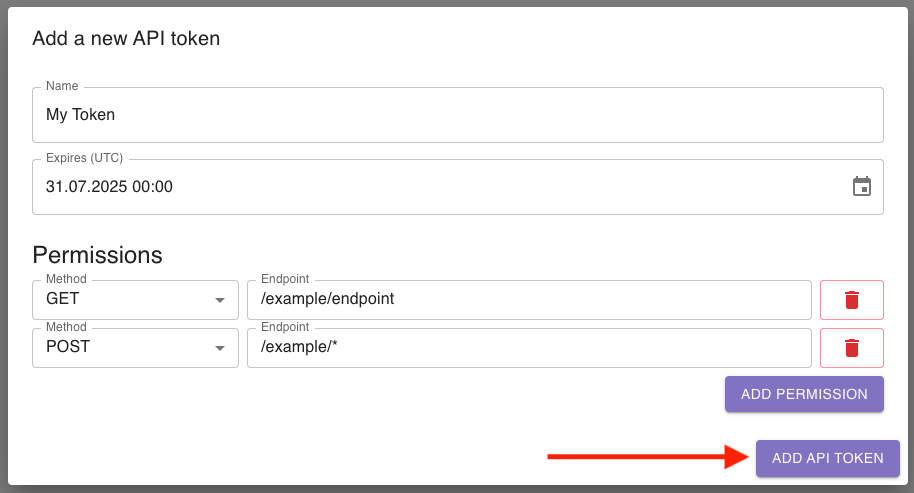
After clicking Add API token, a token will be generated and shown in the dialog.
Please note that you can only access the token as long as you don’t close the dialog.
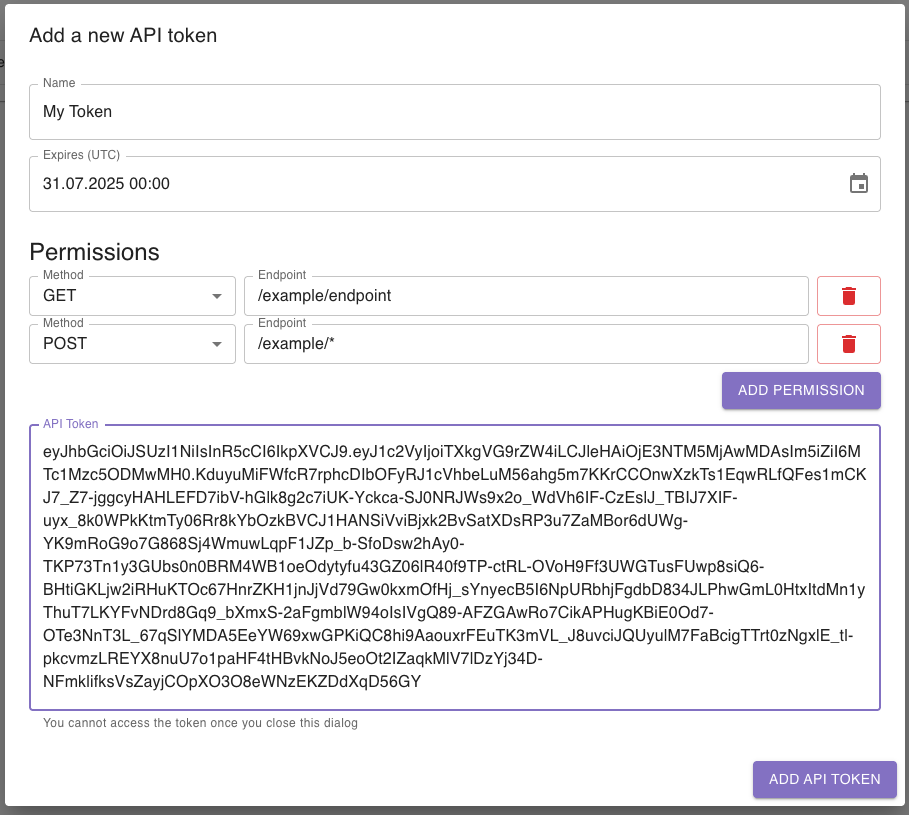
When closing the dialog, you will see your newly created API token in the “API tokens” section:

When a token is expiring in 30 days or less, a notification will be sent to all members of the roles able to access the session manager (see above). Only users who enabled notifications in their settings will be notified.
You can block an API token by clicking the block button in the row of the corresponding token:

You can unblock an API token by clicking the unblock button in the row of the corresponding token:

For using an API token, simply add Perseus-Token: <YOUR_TOKEN> as header to your HTTP request.
Please note that you have to send the request to the exact address of PERSEUS, i.e. https://perseus.my-institution.com/api-perfix/my/example/endpoint.