Restricted functionality
This functionality can only be accessed when having one of the following
roles:
- OWNER
- CLUSTER_ADMIN
- ALLOCATION_BOARD_MEMBER
Restricted functionality
The email templates are used by PERSEUS for sending internal and external emails.
Internal Emails: Internal emails are mails within PERSEUS, e.g.for status changes of a project
External Emails: External emails are messages to e.g. the PI of a project.
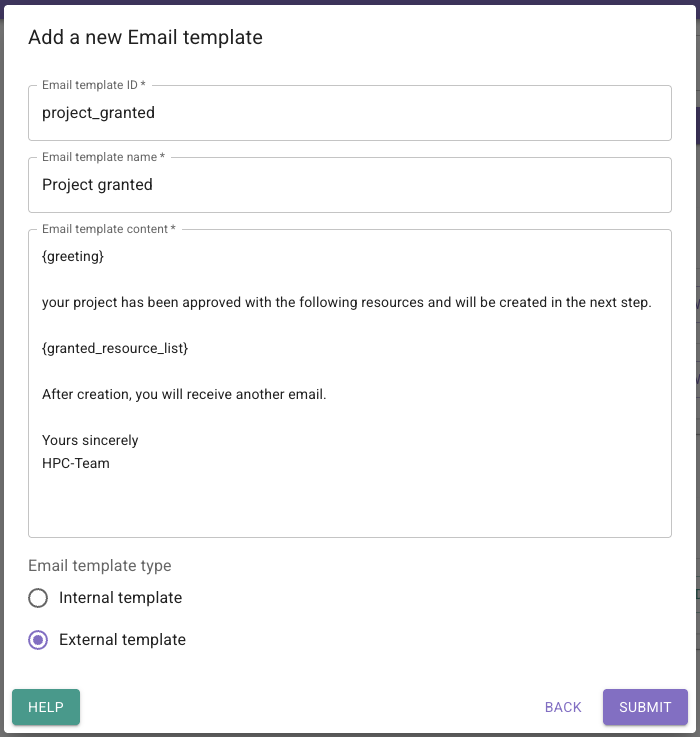
Email template ID
The ID is used to select the email template when sending emails. Spaces should be avoided.
Email template name
The template name is used for display purposes and may be used as the email subject if no subject has been specified.
Email template content
The body part of the mail.
Here, you can use predefined placeholders such as {greeting} or project data such as {project.abbreviation}.
By default, the following object data is used for formatting:
project - The project with which data the mail is formattedpi - The PI of the projectpc - The PC of the projectThe mail content is formatted using Python format syntax.
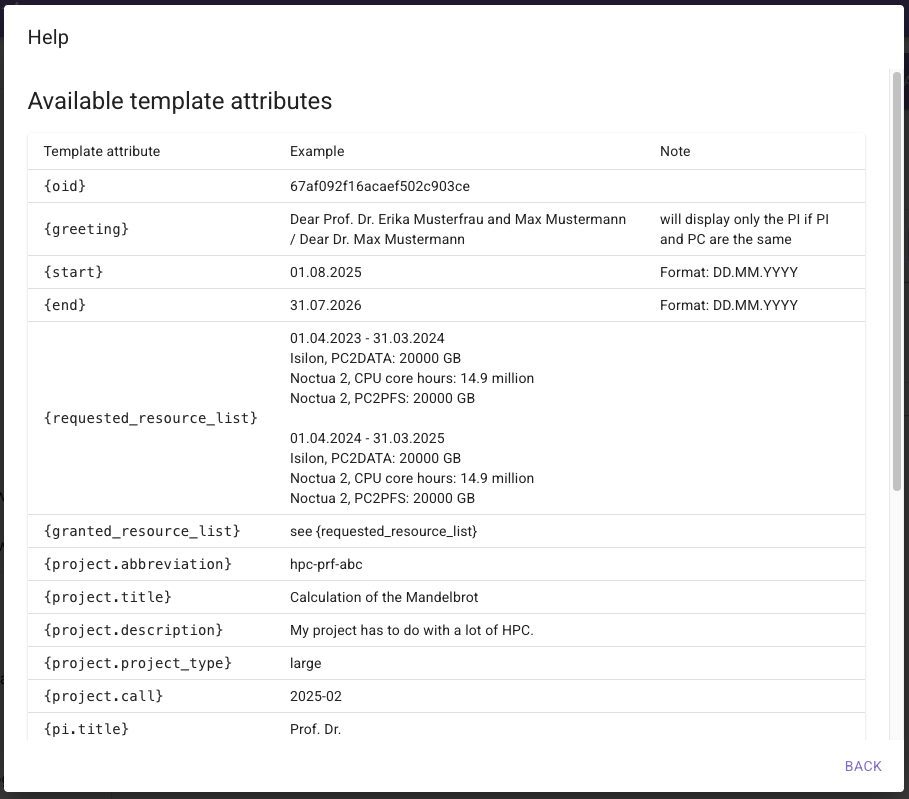
A list of available Email attributes and examples can be found by open the help preview when adding/editing an email template.
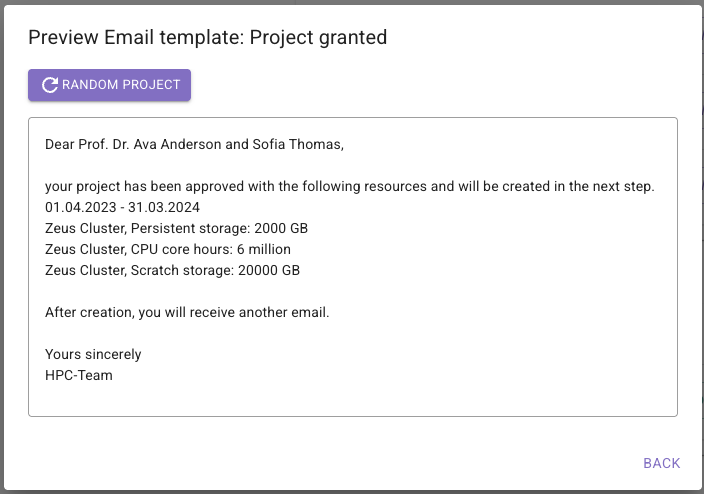
With the preview functionality you have the possibility to display a rendered preview of an email template with a random project from the PERSEUS database:
If you want to send emails on a specific action or event, have a look here: Send mails