Restricted functionality
This functionality can only be accessed when having one of the following
roles:
- OWNER
- SECURITY_MANAGER
Restricted functionality
To update the members of a PERSEUS role, go to “Role Manager”. You will see a list of all roles available in PERSEUS. Click one of them to view all members of that group:
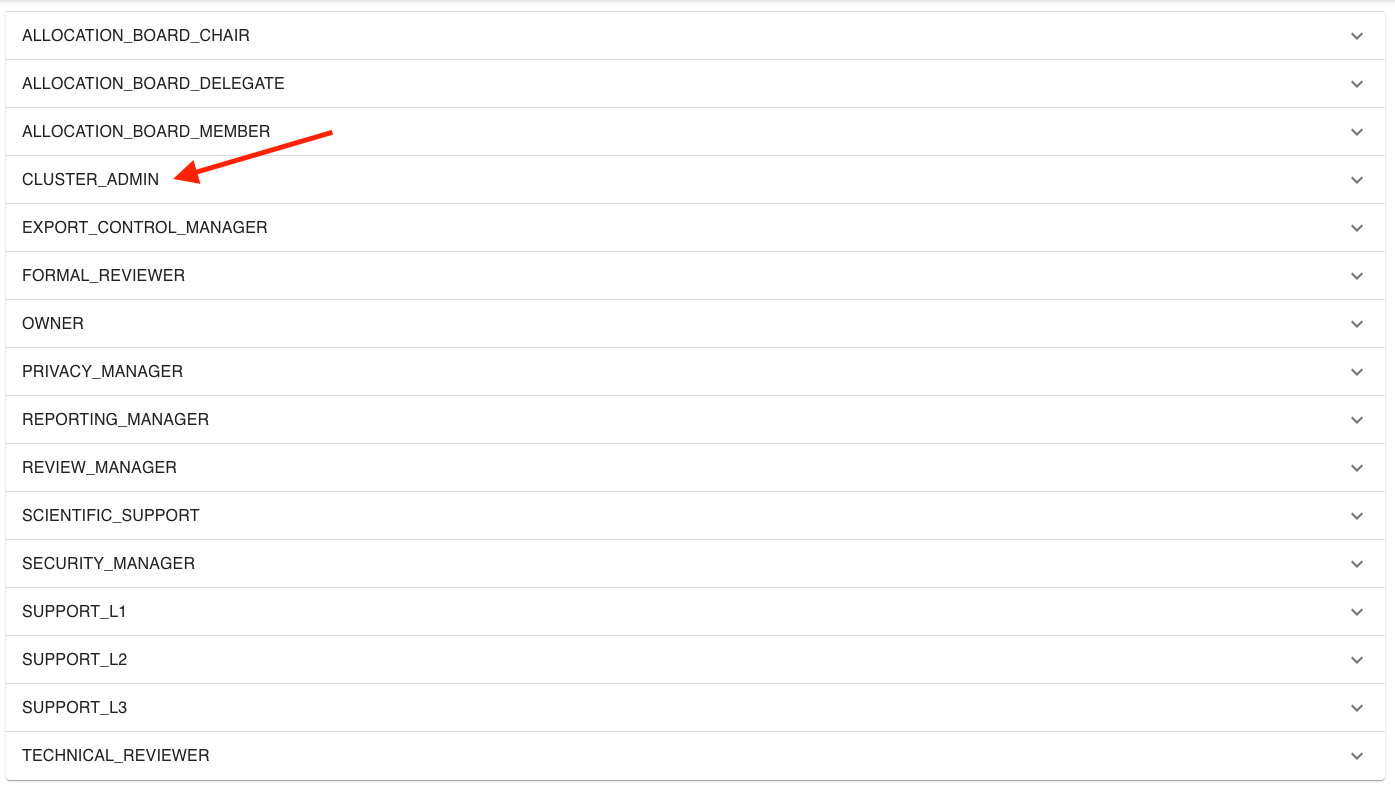
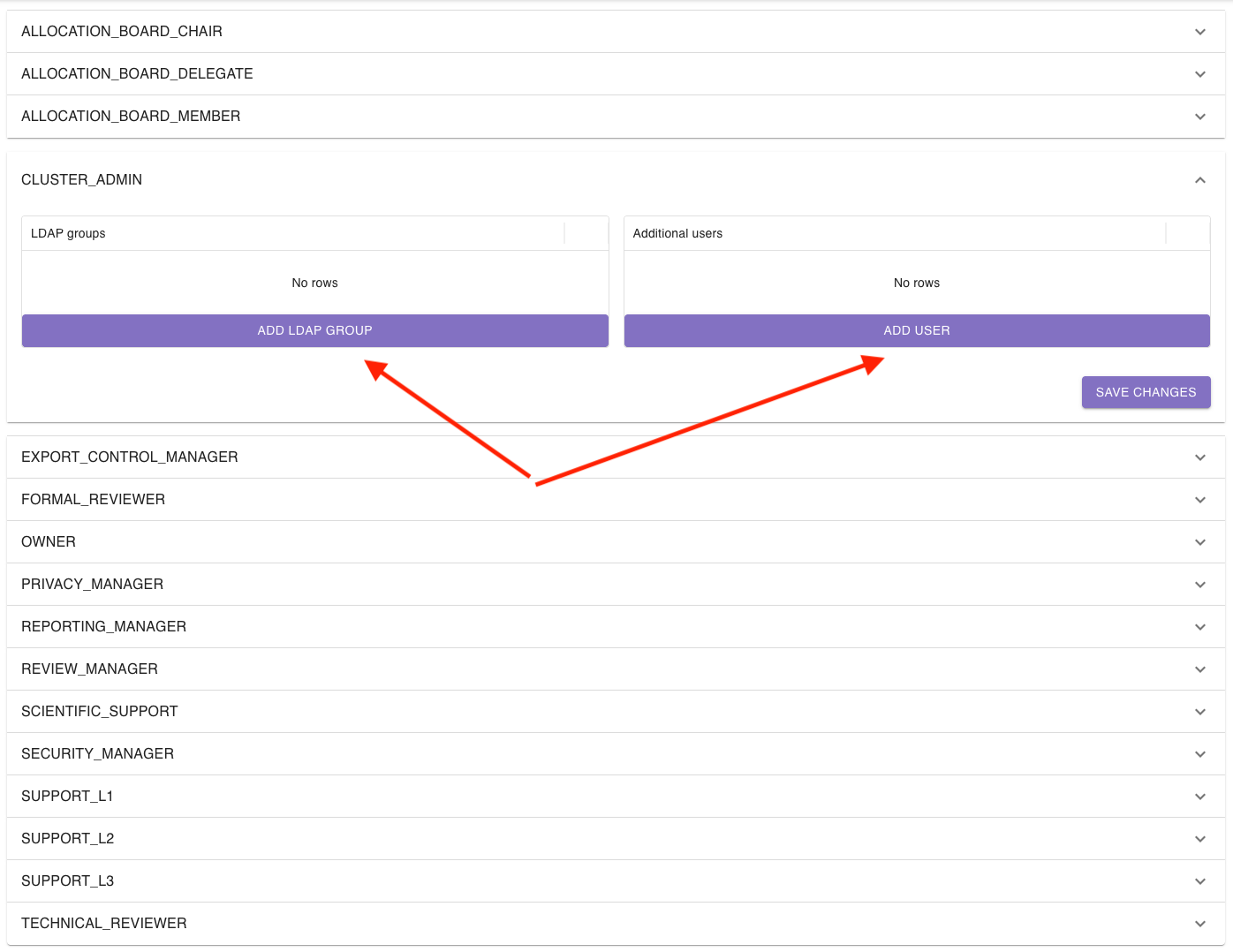
The role section will open and display a list of LDAP groups as well as users.
To add a new group or user, click add LDAP group or add user:
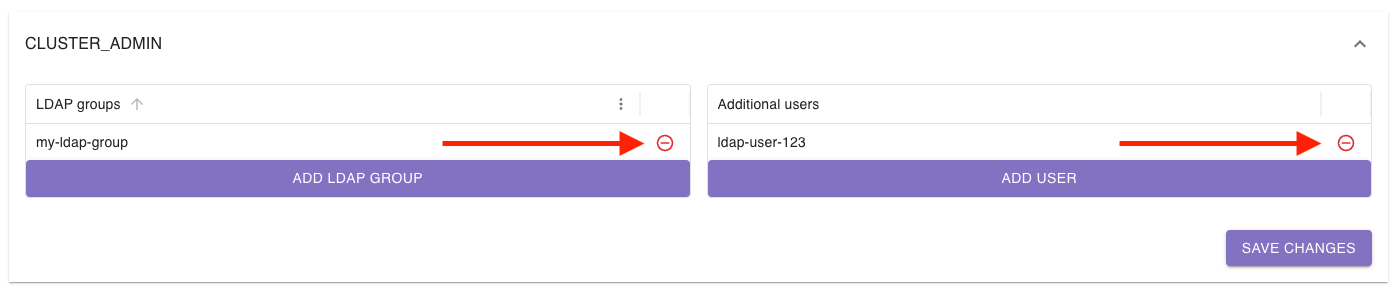
To remove a group or a user, click the red minus to the right of the corresponding entry:
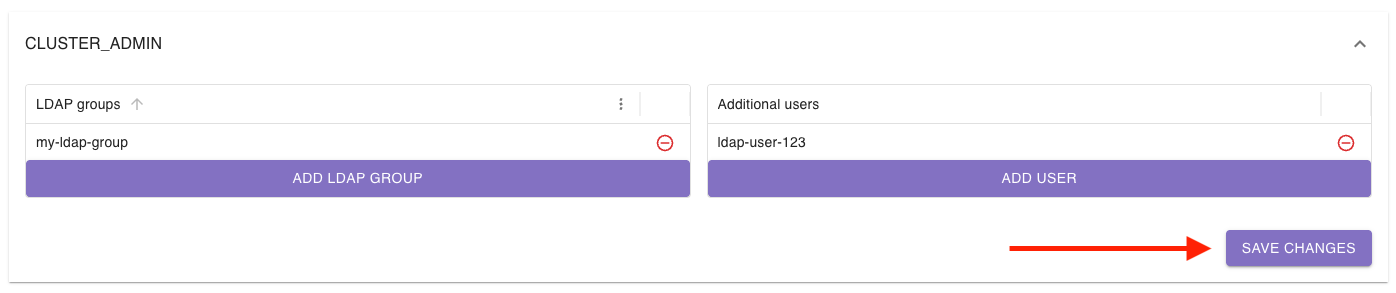
To save your changes, click Save changes in the corresponding role section:
If you want to block a user and thus prevent their access to PERSEUS, go to “Session Manager”, open the “Users” section, find the user you want to block, and click block:
