Jobs
The Jobs section inside the compute project tab lists every recent job that ran under your project. It is shown as a sortable, filterable table.
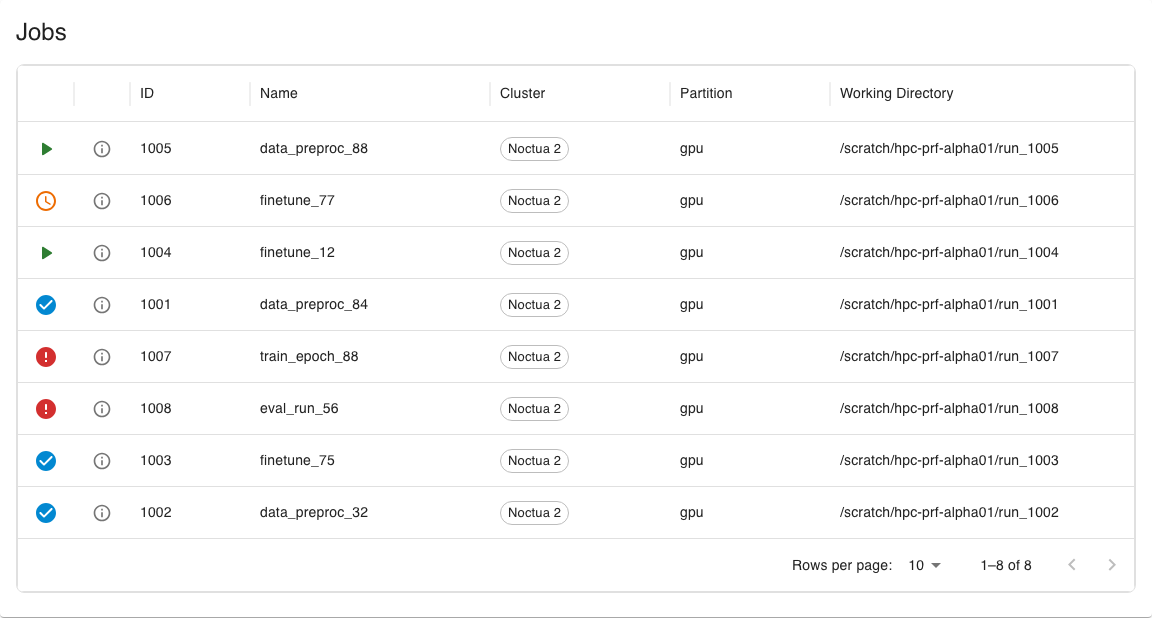
Each row shows a state icon, the job’s ID and name, the cluster and partition it ran on, and its working directory. If you are the principal investigator or person of contact, an additional User column shows who submitted each job. Timing information is not in the table itself — it lives in the detail dialog.
Job states
Section titled “Job states”The icon at the start of each row tells you, at a glance, which state a job is in.
| Icon | State | Meaning |
|---|---|---|
| Running | The job has resources allocated and is currently running. | |
| Pending | The job is queued and waiting for resources to become available. | |
| Completed | The job finished successfully. | |
| Suspended | The job has an allocation but its execution is currently paused. | |
| Cancelled | The job was cancelled by a user or an administrator. | |
| Boot fail | The allocated nodes failed to boot, so the job could not start. | |
| Deadline | The job reached its configured deadline before it could complete. | |
| Failed | The job terminated with a non-zero exit code. | |
| Node fail | One or more allocated nodes failed while the job was running. | |
| Out of memory | The job exceeded the memory available to it. | |
| Preempted | The job was stopped so higher-priority work could use its resources. | |
| Timeout | The job ran longer than its time limit and was stopped. |
Filtering and sorting
Section titled “Filtering and sorting”Click a column header to sort by that column, or open a column’s menu to filter by it (some columns, such as the state icon, are not filterable).
Job detail dialog
Section titled “Job detail dialog”Click the details icon in a row to open the Job Details dialog. It shows the full set of information PERSEUS has for the job, including resource allocation, runtime, and the job’s current state with any accompanying reason.
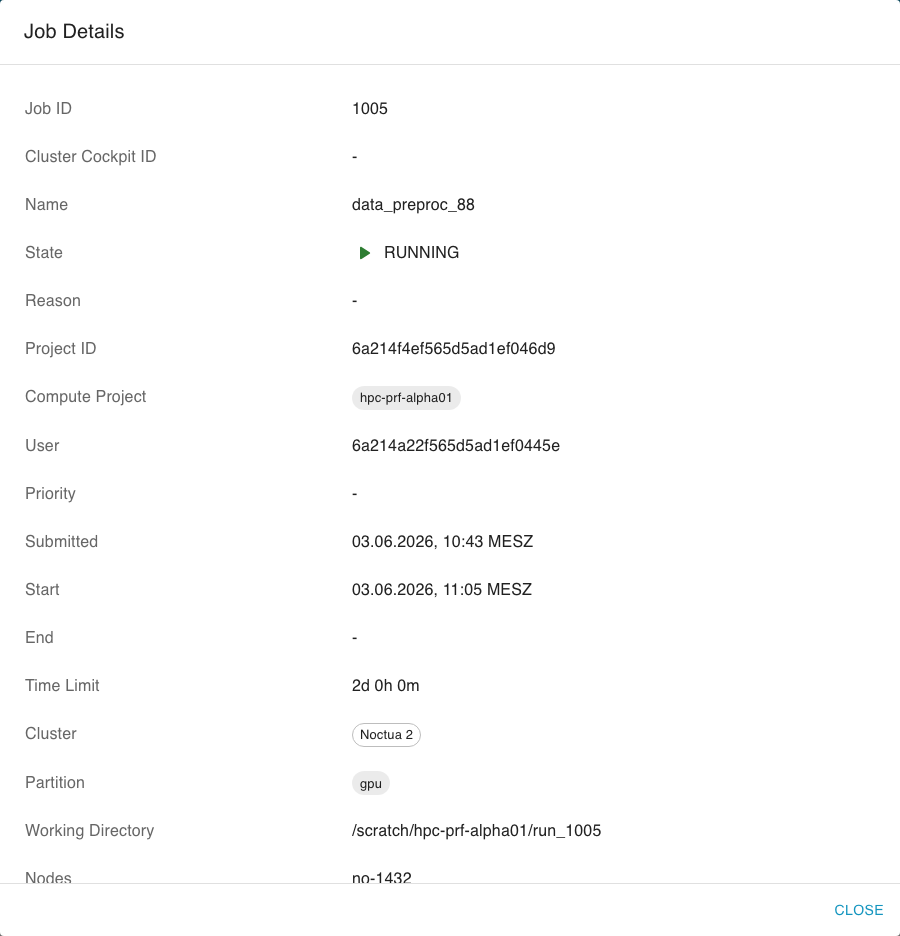
Close the dialog to return to the table; the table state (filters and sorting) is preserved.