System status
The System status page gives you a quick overview of which of the center’s services are currently up, degraded, or in maintenance.
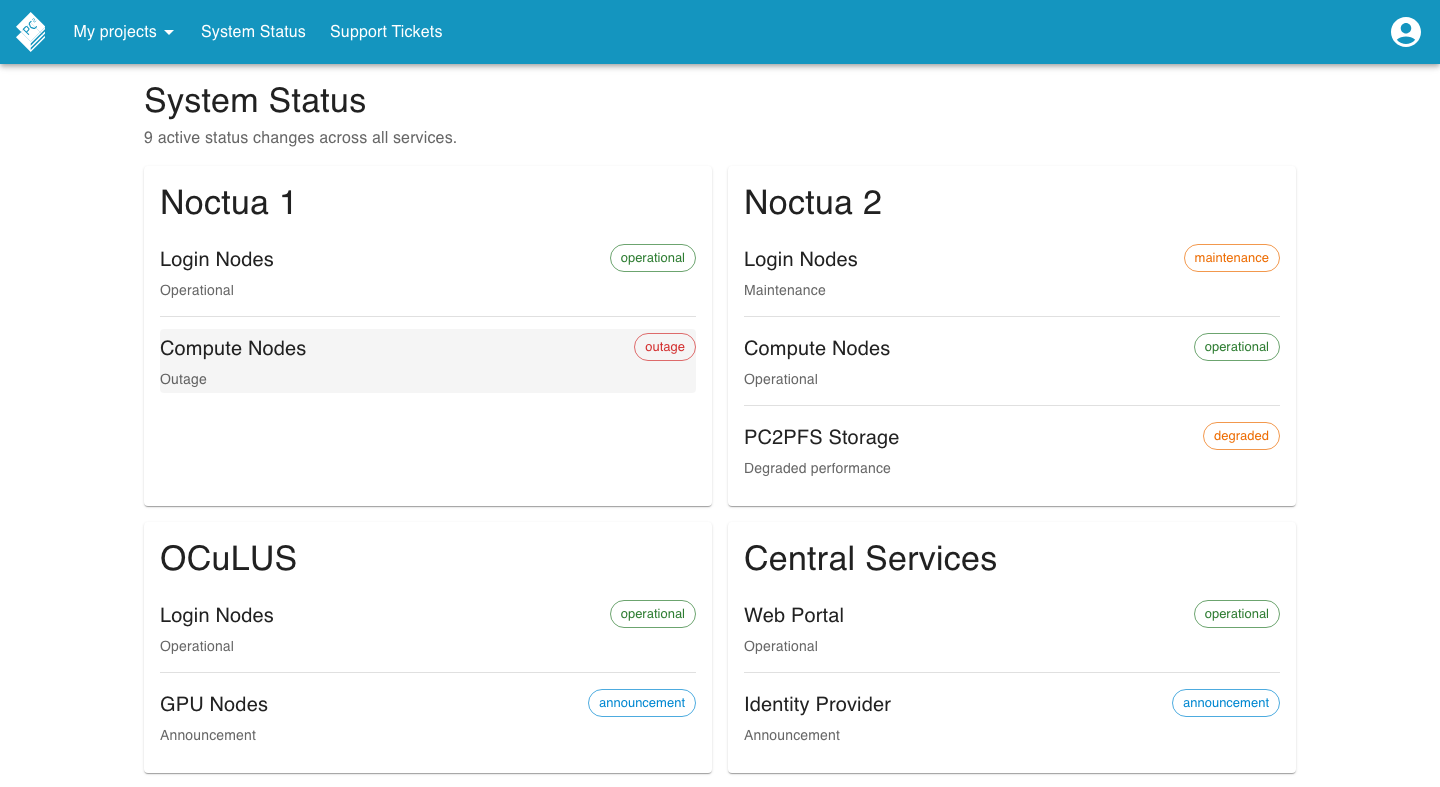
Services are grouped (for example by cluster or by service type) so that related entries appear together. Each group is shown as a box with one row per service.
Status labels
Section titled “Status labels”Every service shows a status label indicating its current state. The exact wording is defined by the center (for example operational, degraded, partial outage, or maintenance), while the label’s colour reflects one of a few severity categories so problems are easy to spot when scanning the page.

Detail dialog
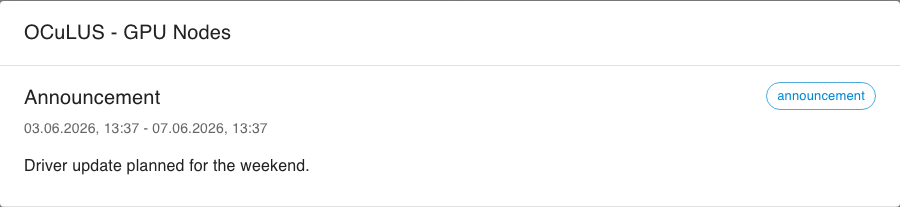
Section titled “Detail dialog”Click a service to open a detail dialog with the full context: the time range of the current status and any human-readable explanation the center added.
A summary line at the top of the page tells you how many active status changes there are across all services. If everything is healthy, the page reads “All services are currently up and running.”