Service Catalog
The HPC Service Catalog is shown inside a compute project’s detail view. It lists services that are available for the selected compute project and separates services you can already use from services that still require access.
Use the tag filter above the catalog to limit the list to a specific type of service. Services are sorted by name inside each section.
Your services
Section titled “Your services”The Your services section contains services that are already enabled for your account in the selected compute project. Each service tile shows the service icon or image, the service name, and the current service status.
Click a tile to open its details. The detail panel shows the description, tags, status, and available actions. An Open action links directly to the service. If a service exposes a usage action, the link may include the current project, compute project, or user context.
Service statuses are:
- Online: the service is currently available.
- Initializing: the service is being prepared.
- Offline: the service is not currently available.
- Unknown: Andromeda did not receive a status for the service.
Request access
Section titled “Request access”The Available - request access section lists services that are available in the project but not yet enabled for you. Locked tiles indicate that access is restricted.
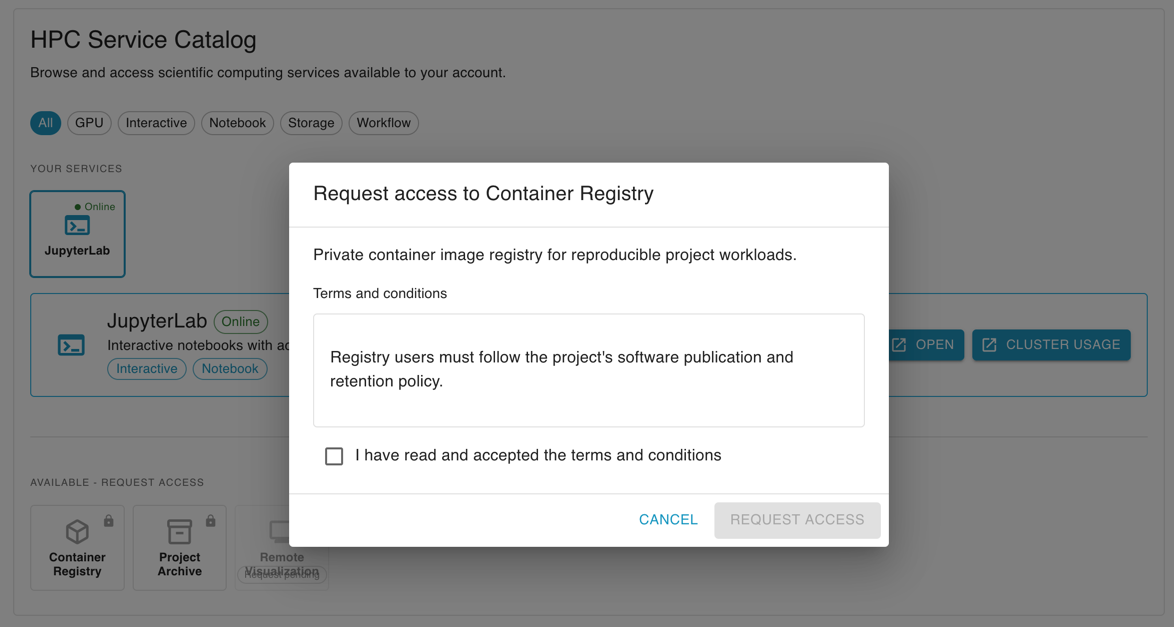
To request access:
- Click the service tile.
- Read the service description and any terms and conditions.
- Accept the terms, if they are shown.
- Click Request access.
After the request is submitted, Andromeda shows a success message. If you already have an open request for the same service, the dialog tells you that the request is pending and disables the submit action.
Software tab for project managers
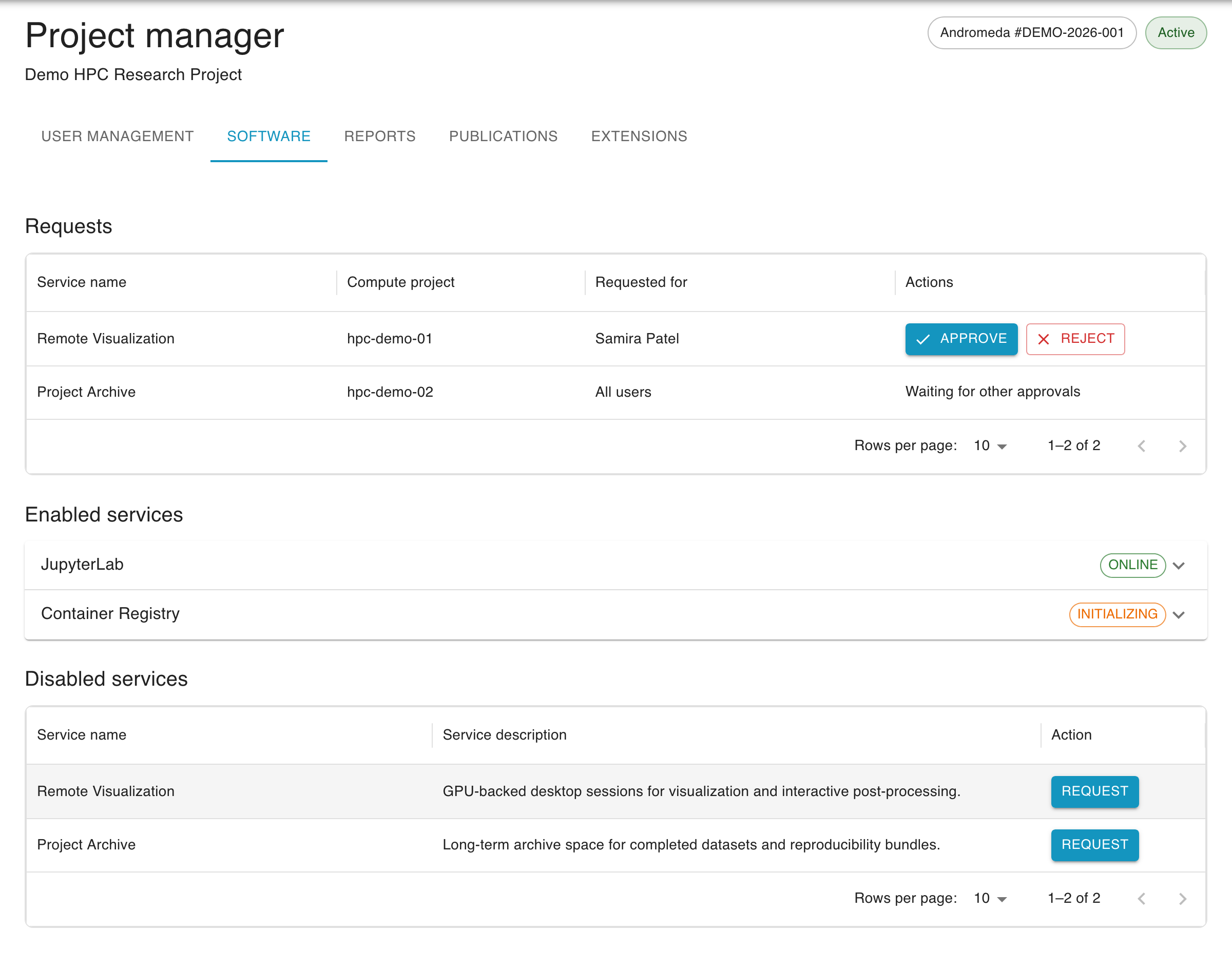
Section titled “Software tab for project managers”Principal investigators and persons of contact can manage service access from the project management view’s Software tab. The tab contains requests, enabled services, and disabled services for the whole project.
Requests
Section titled “Requests”The Requests table lists service catalog requests that require a project-side decision. Each row shows the service name, compute project, and whether the request is for all users or a specific project member.
Requests that are waiting for the project decision can be approved or rejected directly from the table. If a request needs another approval first, Andromeda shows Waiting for other approvals instead of action buttons.
Enabled services
Section titled “Enabled services”The Enabled services section shows services that are active somewhere in the project. Open a service to see its description, status, and who it is enabled for. A service may be enabled for all users of a compute project or only for selected users.
If the service supports additional enable requests, use Enable for more users to open the enable dialog.
Disabled services
Section titled “Disabled services”The Disabled services table lists services that can be enabled or requested for the project but currently have no enabled targets.
To enable or request a disabled service:
- Click Enable or Request in the disabled services table.
- Select one or more compute projects.
- Choose whether the service should apply to all users or only selected users.
- Accept any terms and conditions.
- Submit the dialog.
Andromeda prevents duplicate requests for targets that already have access or already have a pending request. Services that require HPC-center approval are submitted as requests; services that only require project-side permission can be enabled through the same dialog.